
A Small Act of Resistance – Part 2
Simple steps to reclaim your privacy on Meta AI: what’s app, instagram, facebook.
IPHONE/desktop
2
MEAT AI
Meta AI is not a separate app you chose to download. It has been quietly built into Facebook, Instagram and WhatsApp, and it is using your posts, your photos and your interactions to train its systems, whether you knew about it or not.
There is no single switch to turn it off entirely, but there are steps you can take to limit what it collects and to put your objection on record.
Download your data first
Before you change anything, it is worth seeing what Meta already holds about you.
FACEBOOK (if you only have instagram, skip this and go to INSTAGRAM below)
Go to your profile picture in the top right, then Settings & privacy, then Settings, then Accounts Centre in the left column. Once you are in there, click “Your information and permissions” and you will see three choices: Export your information, Access your information, and Search history. Choose “Export your information” and you can pick either specific categories or the complete archive. Facebook will email you once the file is ready, and you should save it quickly because the link expires after a few days.
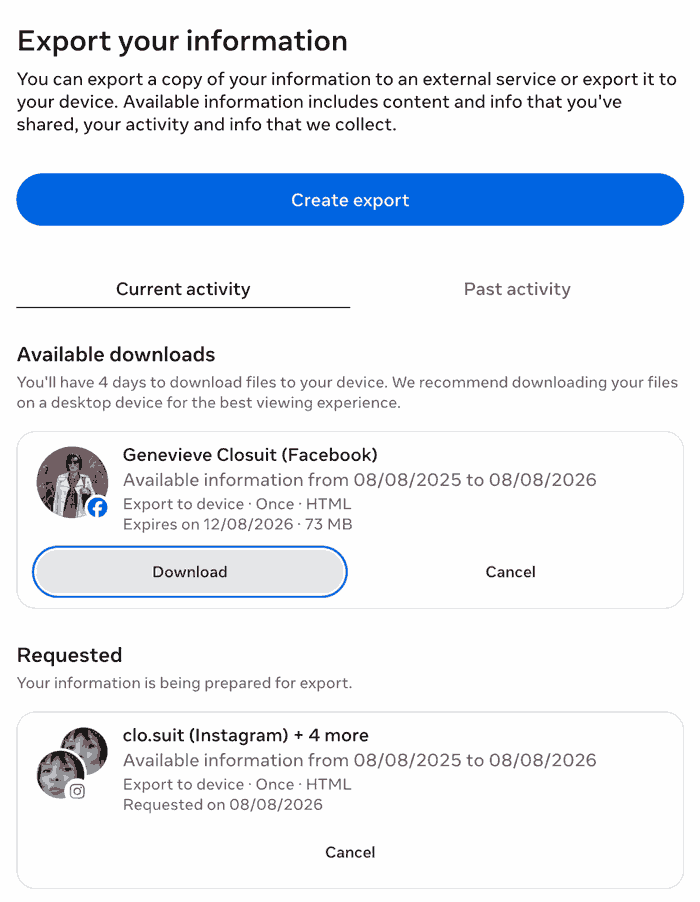
Wait a little bit until the button turns into “download”.
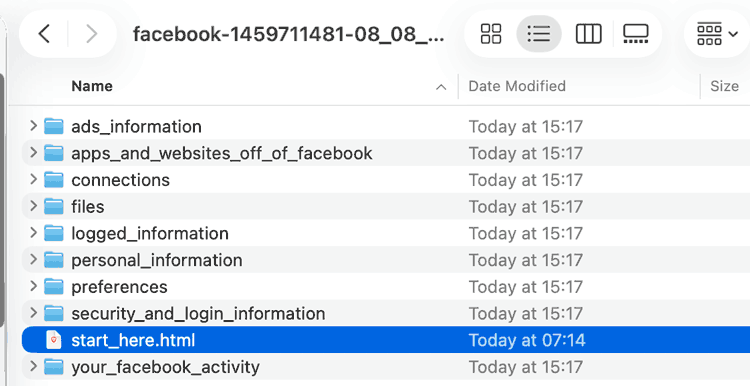
Then Download and look into your download folder for a folder called facebook-….
Click on the file “start_here.html” and see what data meta keeps from you:
A word about metadata
Even if you never post publicly and never speak to Meta AI directly, Meta is still collecting metadata about you. This is not the content of your messages but everything around them: who you message, how often, at what time, from where, on what device. Over years of daily use this builds a detailed portrait of your life without Meta needing to read a single word you typed. There is no way to prevent this while using their platforms, which is useful to know.
Object to your data being used for AI training
This is the most important step, and you can now do it from a browser on your computer rather than having to install the Facebook app.
Log in to your Facebook or Instagram account and go to the Privacy Centre at facebook.com/privacy/center.
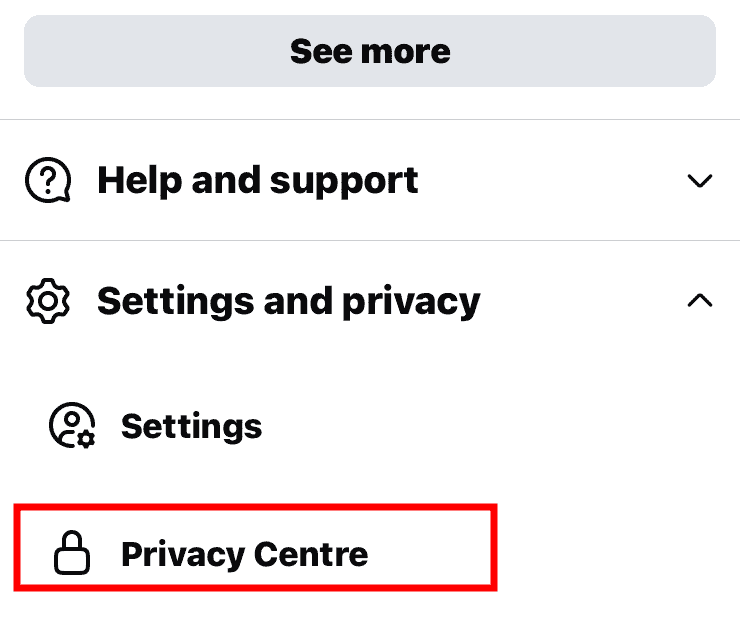
Look for Privacy Topics, then choose AI at Meta. Somewhere on that page you will find a link called “submit an objection request”.
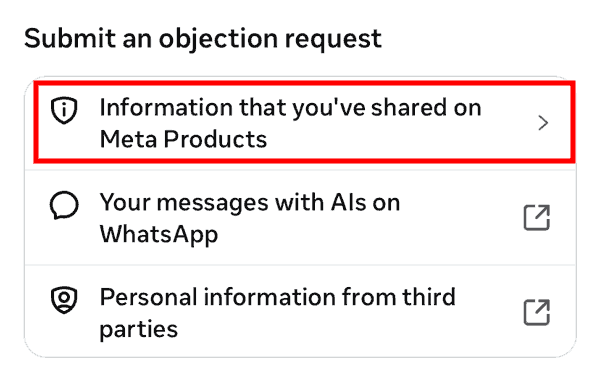
Open it, enter the email address linked to your account, and write a short explanation of how this processing affects you. A sentence or two is enough, for example that you do not want your creative work and personal posts used to train AI models.
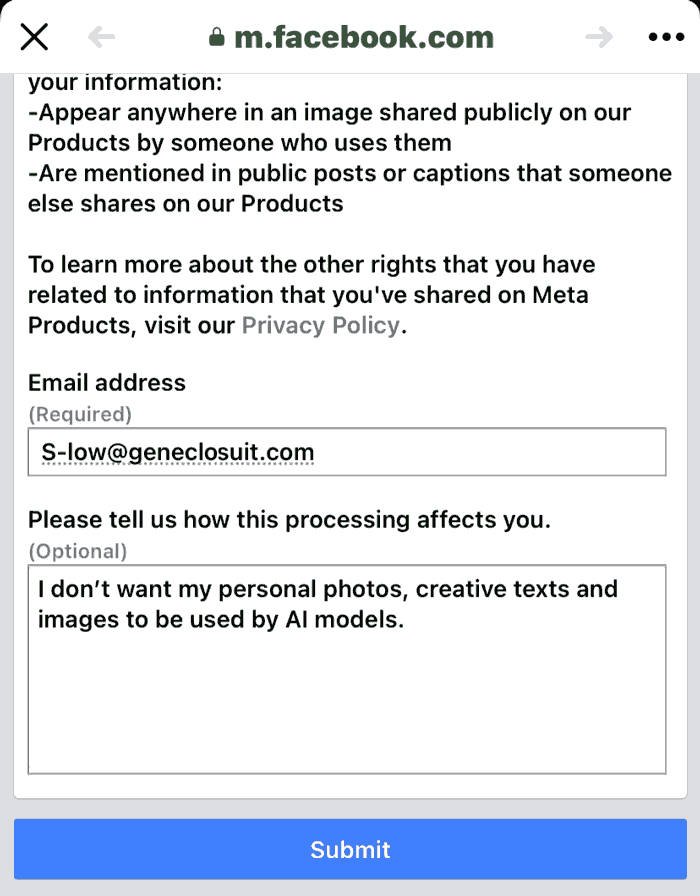
If you prefer to use your phone, the route is much the same. Open the Facebook app, tap the menu, then Settings and Privacy, then Privacy Centre, then Privacy Topics, then AI at Meta.
You will receive a confirmation email once the objection has been logged, so keep that email as your record. If you live in the UK or the EU, data protection law means Meta is obliged to consider your objection properly.
One thing worth knowing is that the objection only covers what you have posted yourself. Photos and posts shared by other people, even ones where you are tagged, are not covered unless those people object too.
INstagram (if you don’t have facebook)
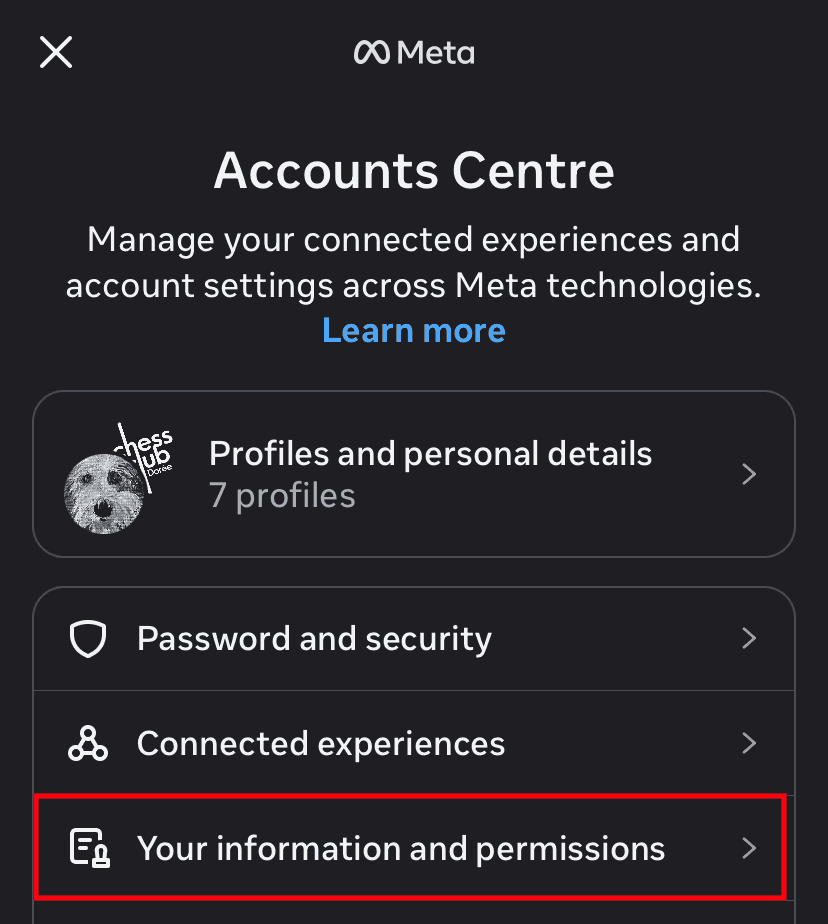
Open Instagram and click on the menu > Accounts Center > Your information and permissions
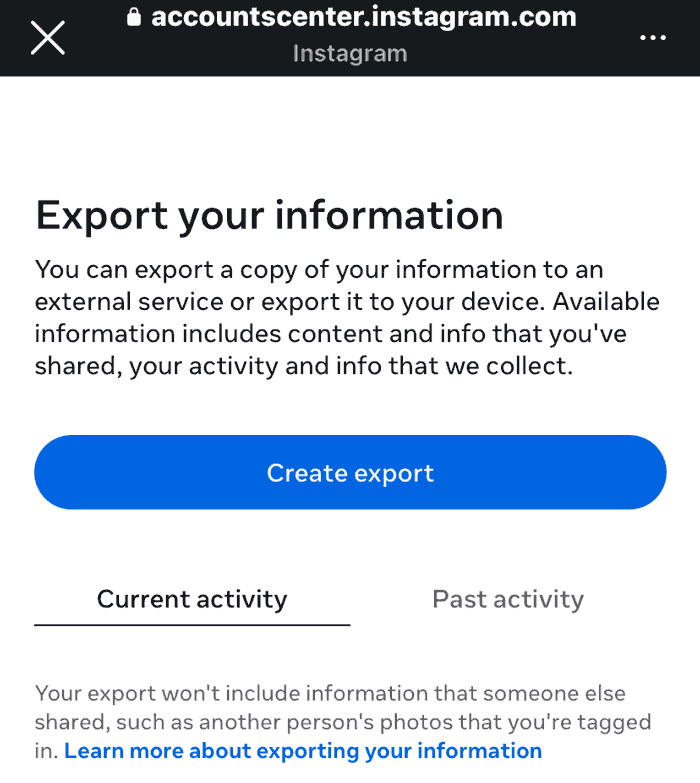
Then export your information > Create an export.
Set your accounts to private
Meta draws mainly on public posts and photos. Making your Facebook and Instagram accounts private, and tightening the audience on older posts, reduces what is available going forward. This may be a more difficult one. You want as many followers as possible, so you may want to skip it.
CUT APP AND WEBSITE PERMISSIONS
Old apps you logged into Facebook are still passing data back and forth.
Go to Settings and Privacy > Settings > Scroll down to Your Activity > Apps and websites > remove every app you don’t actively used.
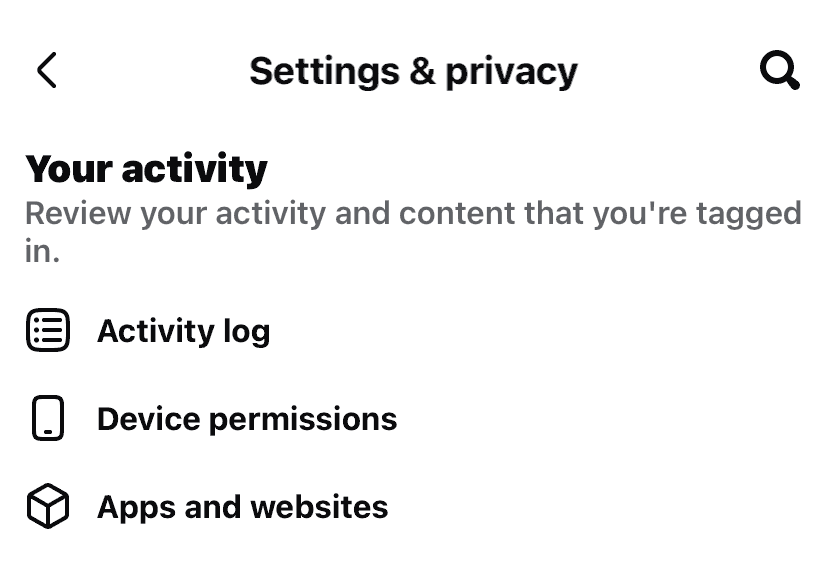
REvoke Location, contacts and media
You may have done this already from the previous post about iPhone settings, if not:
This is iPhone level access Meta keeps in the background.
Iphone settings > Privacy & security > Location Services > Facebook (and Instagram) > set Location to “Never”.
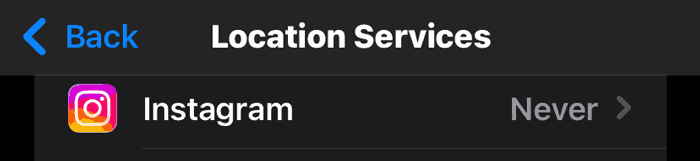
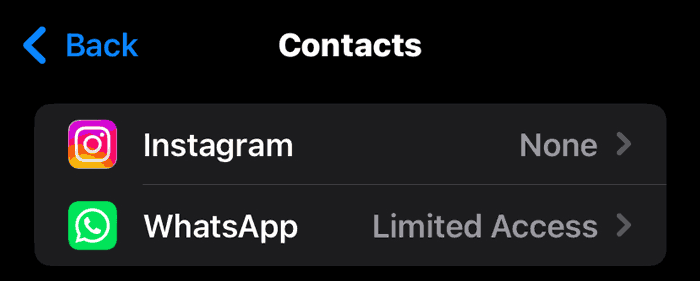
Then still in Privacy and Security > contacts > turn off Contacts
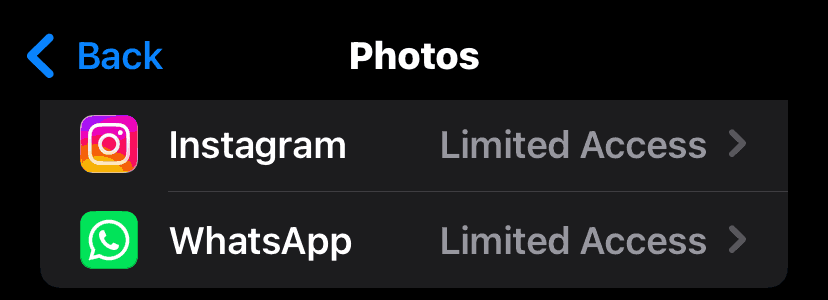
Then back to Privacy & Security > Photos > set photos to limited access (you will have to manage your photos when you post something, select only what you need so Meta can’t get into your full library 😉
WHATS APP
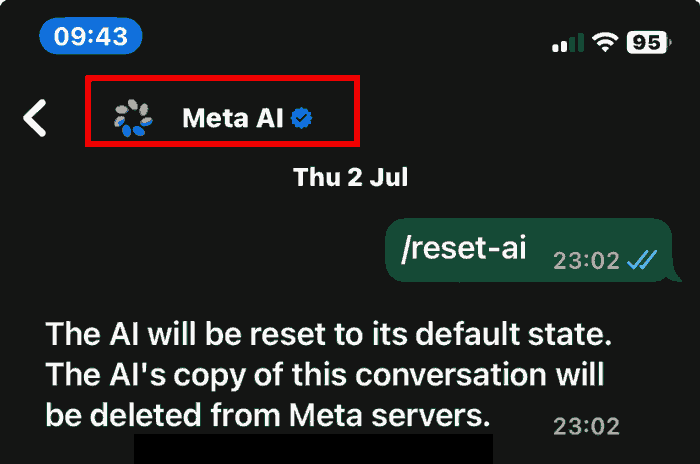
Type / reset-ai in your Meta AI chat
In any WhatsApp conversation with Meta AI, type /reset-ai and send it. Meta AI will confirm that it has been reset to its default state and that its copy of that conversation has been deleted from Meta’s servers. You need to do this in each conversation individually, it does not clear everything at once, but it is worth doing and takes about ten seconds.
Mute Meta AI in your chats
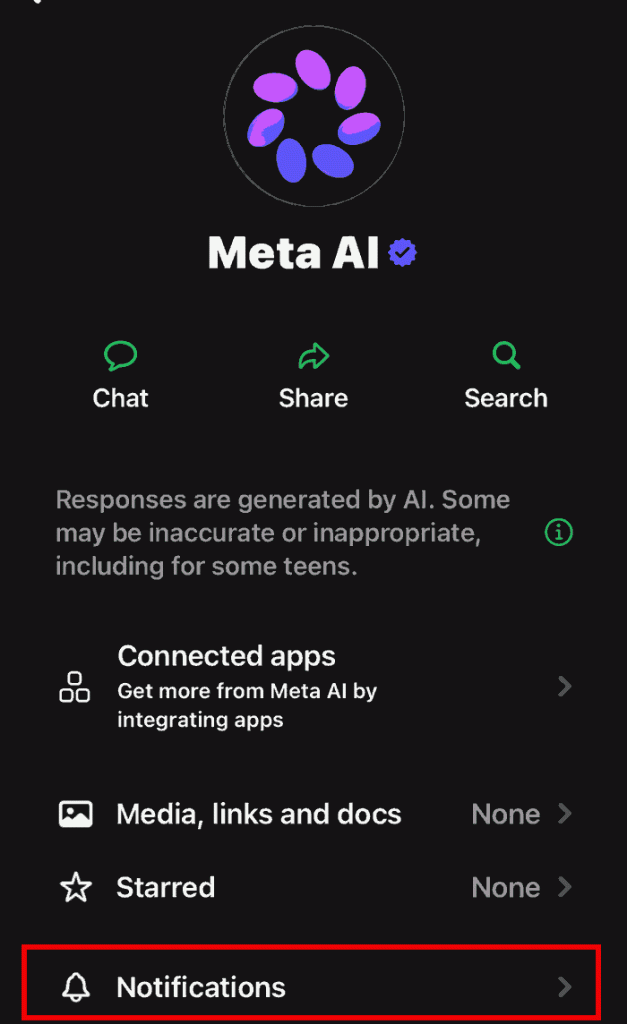
In WhatsApp or Messenger, click on the Meta AI button, click again on the Meta Ai at the top, select Notifications and Always muted. It does not remove it but it stops it surfacing uninvited.
Switch off camera roll scanning on Facebook
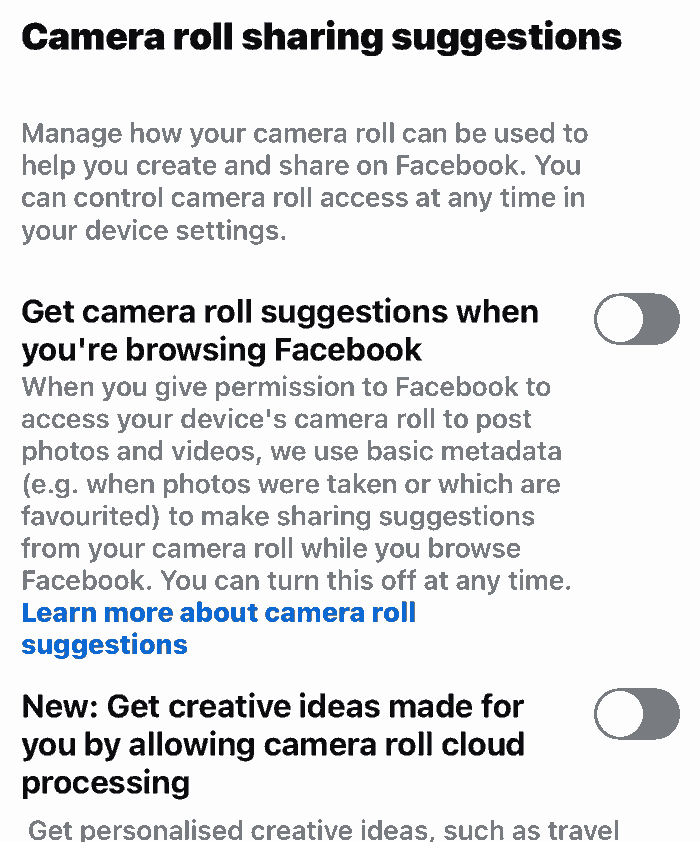
In the Facebook app go to Settings and Privacy, then Settings, then Camera Roll Sharing Suggestions. If the toggle is blue, Facebook has been scanning your recent photos and uploading them to its servers. Turn it off.
Enable Advanced Chat Privacy in WhatsApp
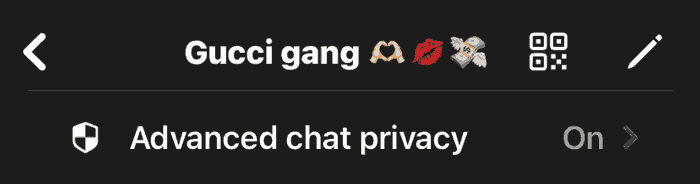
Open a conversation, tap the contact or group name, scroll to Advanced Chat Privacy and switch it on. This blocks Meta AI from being pulled into that conversation. You will need to do this for each chat individually.
What stays outside your control: Meta states that private messages between friends are not used for AI training, but any conversation you have directly with Meta AI is. Meta AI can also be summoned into a group chat by any participant, not just you, so if someone else brings it in, everything said in that chat may be in play. An objection request reduces future use of your data but cannot undo what has already been collected. We are largely taking Meta’s word on the rest.